
BasicFree trial
€30€90/ year · until 31 Dec 2026
Three factory sounds (Soft, Radio, Loud) and the core controls. Pick a sound, set the drive, go on air.
OptiLive runs in real time on the computer that feeds your FM chain. It takes the programme from your mixer or playout, evens it out and shapes it, then hands a controlled, peak-limited signal to the equipment that follows.
Windows 10/11 · macOS 10.15+ · Basic €30/year · Pro €120/year · 12-month licences with periodic updates
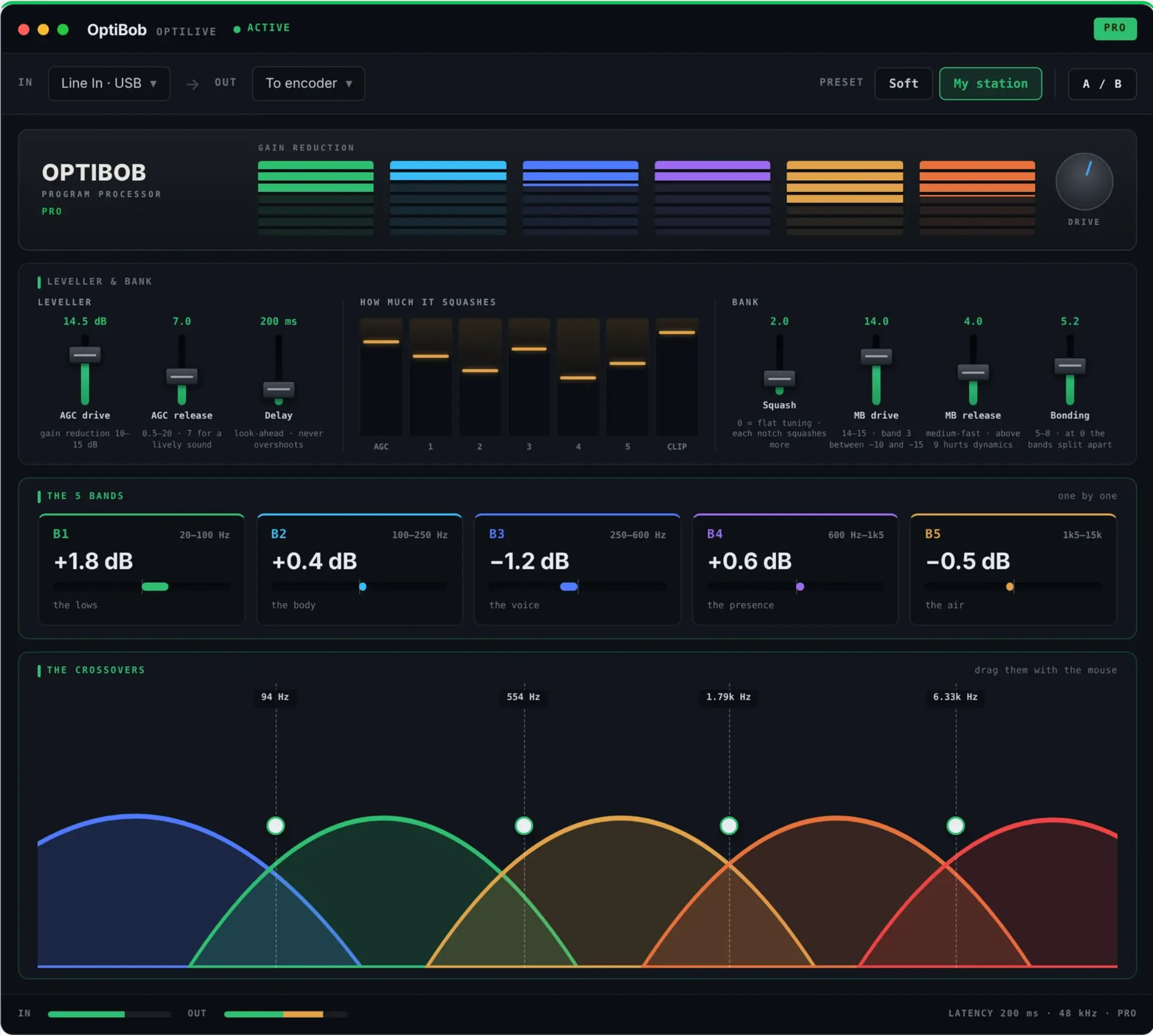
On FM, the listener is spinning a dial. A quiet ad break or a thin old record is the moment they move on. OptiLive keeps the feed you send to air consistent, whatever the studio throws at it.
An FM station is a patchwork: live mics, jingles, a playout library mastered across forty years, phone-ins, ads delivered by someone else. The two-speed AGC rides the slow changes between segments and catches the sudden ones, so the feed leaving the studio stays at a steady level.
The five-band compressor then holds each part of the spectrum in place on its own, which is where a station gets its recognisable, even colour. Old records get body, bright modern masters stop dominating.
Density is only useful if peaks are under control. The clipper with distortion control shaves peaks with a measured hand, and the true-peak limiter is the last stage, catching intersample overs so the output does not exceed the ceiling you set.
That gives the rest of your chain a predictable input. How hard you drive it is your choice: start with the Radio sound, listen, then adjust drive rather than chasing loudness for its own sake.
Use OptiLive to shape your programme audio before the downstream FM chain. Do not assume that programme processing also covers stereo multiplex, pilot, MPX composite or RDS generation: check those requirements separately with the equipment and settings that handle transmission.
Because the final sound depends on everything after OptiLive, judge it at the end of the chain: on an off-air receiver and on your own monitoring, not only on the studio speakers. Responsibility for transmission settings and local rules stays with the station and its engineers.
This page makes no claim about regulatory compliance, certification, or stereo MPX and RDS capabilities. Modulation limits and transmission settings remain the responsibility of the station.
Three factory sounds (Soft, Radio, Loud) and the core controls. Pick a sound, set the drive, go on air.
Everything in Basic, plus individual controls for all five bands, draggable crossovers and your own saved tunings.
The new downloads are awaiting publication. Direct download links will become active once the files are added to the latest release. No GitHub account is needed.
Mac .pkg or Windows Setup .exe: choose Desktop, Plugin, or both inside the installer. Basic and Pro are Desktop editions. Player is a separate free download. Full edition comparison.